

A POS that can manage all your moving parts
Peace of mind with your system. More POS features, more for your business

Packed with power
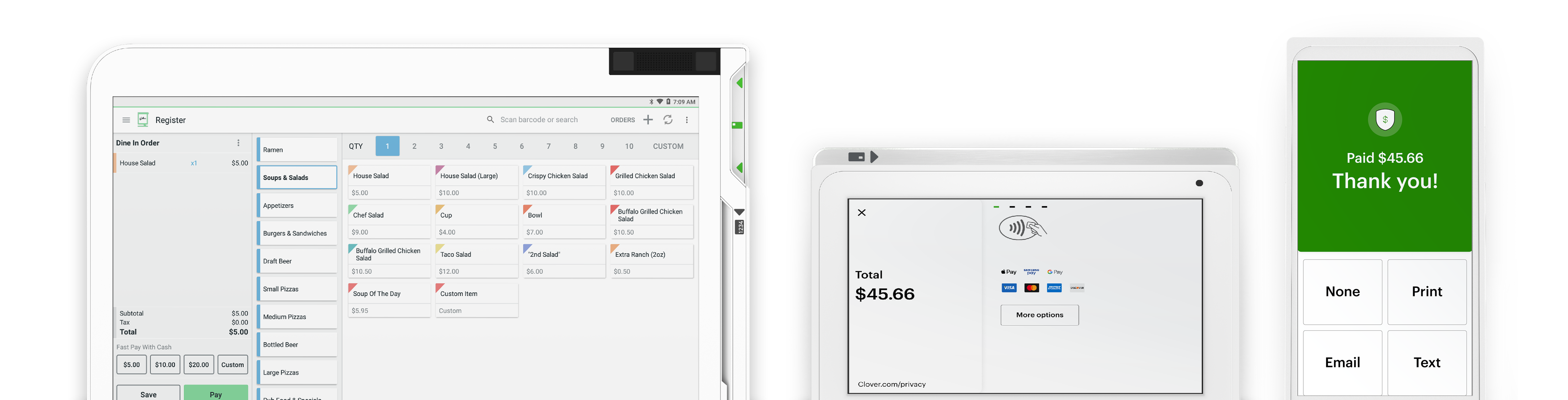
Clover POS systems come with many built-in features so you can set up your business right away and right-size it for your needs.

Any time anywhere
Cloud-based for good reason. Track your sales, refunds, deposits, and run reports, wherever you are or need to be.

Completely customizable
Your system, your needs. Tailored to scale with your business with devices, apps, and accessories that make sense when your timing says so.

Real‑time reporting
Live and trending sales data helps track your business’s performance via customizable reports in your Clover dashboard. It can really be that easy.

Gift cards
Offer and accept gift cards to expand your customer base

Get feedback
Get feedback directly from your customers

Better management
Better manage customers and employees

Deals and discounts
Launch and promote deals and discounts to your customers
Customize your system
Maximize your system to fit your business – payments, inventory and everything.
-

Start with software
Pick a plan with features to fit your business – payments, inventory and everything in between.
-
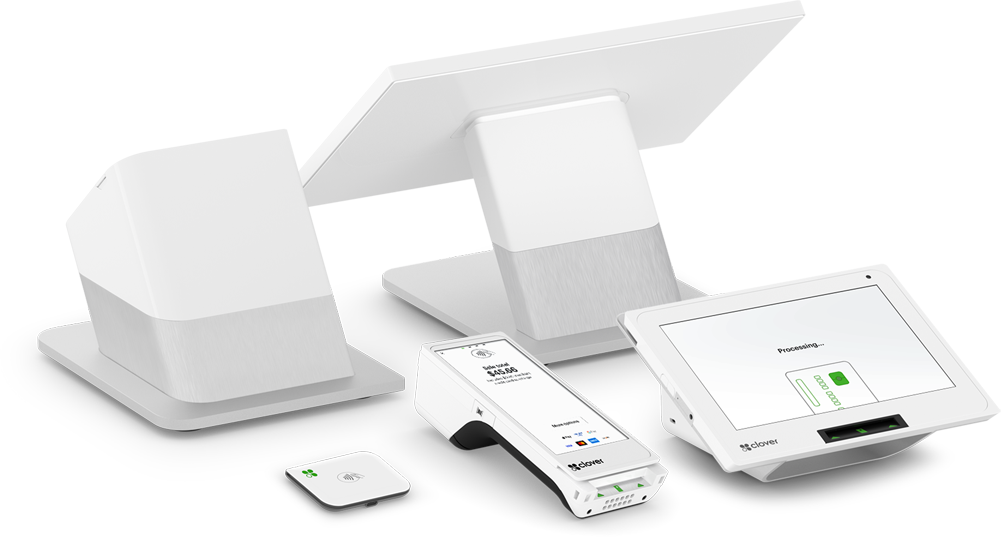
Hand-pick your hardware
Select a POS device for your business – countertop, portable or no device at all!
-
Add accessories and apps
Get Clover-approved accessories and third-party apps from our App Market to maximize your system.
Process more payments
Get paid with more security and privacy.
-
Get paid in all kinds of ways
Tap, dip, swipe, are all welcome here. Accept all major credit/debit cards to mobile wallet and contactless payments - and even scan checks, safely and securely.
-
Tackle transactions with ease
Offer one-touch tipping and digital receipts. And, complete refunds, returns, and exchanges efficiently.
-
Say hello to efficiency
Enable online ordering so customers can make the most of their time - and you, yours.
-
Take care of the rest
Automatically apply service or delivery charges.
Optimize ordering
-
Take them any way they want
Get in-house, pickup, or delivery orders.
-
Make all orders easy
Open tabs, split bills, and combine multiple orders easier.
-
Delve into the details
Track item level sales, discounts, taxes, and more.
Expand your audience
Keep track of your valuable customers, manage loyalty programs, send custom promotions.
-
Keep track of customers
Keep your favorite customers top of mind remembering birthdays, order histories and contact info.
-
Get valuable feedback
Get private feedback from customers that helps elevate future experiences.
-
Reward your regulars
Make and manage your loyalty programs directly through our built-in customer engagement app to keep your customers coming back.
-
Make marketing magic
Send announcements , custom promotions and marketing campaigns to your customers via email, text, or the free Clover mobile app.
Teaming made simple
-
Set shifts and schedules
Manage your entire staff and their schedules in one place.
-
Adjust your admin success
Set individual employee permissions based on your team’s structure and responsibilities.
-
Assess your activity
Track employees’ sales, tips, and refunds to identify top sales performers.
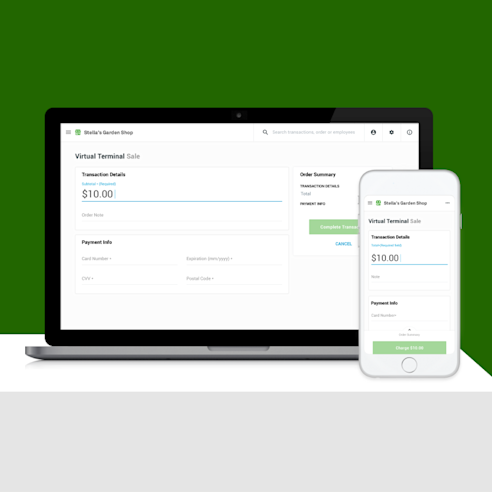
Take payments anywhere, anytime with Virtual Terminal
Accept payments anytime, anywhere with your computer, tablet, or smartphone using Virtual Terminal on your Clover Web Dashboard. No POS device needed!
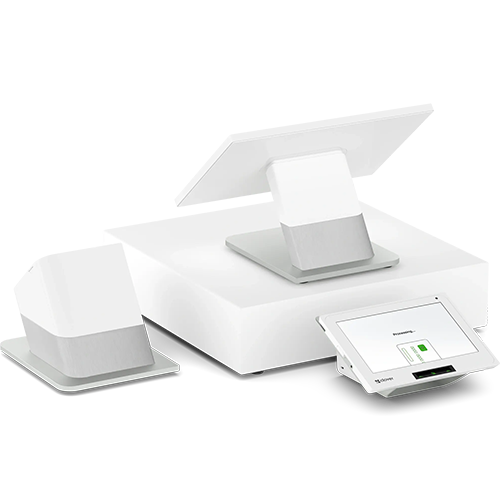
Get paid in more ways ‑ cause we all like options.
In partnership with our parent company, Fiserv, we provide even more solutions and resources for businesses of all types and sizes. There’s something for everyone!

Access to all kinds of apps to help you do things better
Customize your Clover POS system with apps that are right for your business like Yelp, Homebase, MailChimp, QuickBooks… and the list goes on!
Clover Reviews
Zero Processing Fees. Zero headaches. 100% peace of mind. That's what you get with Clover POS.

Candace Kalb
Kalby's Koffee and Hot Doggery
The integration from our old POS was simple. Being able to add pictures of products or change colors of boxes to help locate the items faster is great. We love the ability to change prices, product names, and add new products with ease. Overall, CLover is great. The staff is always looking for ways to improve the system.

Sarah Billenstein
Picnic's Pizza & Grille
Clover is a robust POS software that keeps me informed about my business performance. It allows me to manage remotely. I can check my business performance from my mobile device. I love this feature. The reporting is great, we track employee time, and the menu module is simple enough that I can manage my own menu. This helps with quick changes.

Strada Grill
Philip Vurchio
Clover is a great, user-friendly system that allows ease of use for both front and back-end users. Easy to set up, reps and customer service are always responsive. Great! Easy to train new employees and staff. Easy to get my second and third locations set up without a long onboarding process. Flexible back-end setup to do what is needed to get the job done.

24/7 CUSTOMER SUPPORT
We have you covered 24/7/365 with our in-house support team.

99.99% UPTIME
Enjoy a 99.99% uptime guarantee.

GUIDED INSTALLATION
Our certified technicians will ensure you’re up and running.
Discover why Clover is the #1 rated POS.